iPhone & Android · Now on the App Store and Google Play
Know your search traffic moved before your client does.
QueryWatch is a native app for iPhone and Android that watches Google Search Console for you. It follows the properties you already own, pushes you a notification when clicks or impressions move, and then shows you which pages and queries did it.
Free for every property you have, with no site limit, and Demo Mode works without signing in. Why Google has no app ›
An independent app. Not affiliated with, endorsed by, or sponsored by Google LLC.
Google has never shipped a Search Console app.
It tested an Android web app with a handful of SEOs in March 2024 and never released it. So the tool that knows first when your traffic falls off a cliff has no way to tell you — you find out when you next open a laptop, or when a client asks.
Search Console's mobile web works, in the sense that it loads. It has no push notifications, no widgets, and switching between twenty client properties on a phone is a small act of endurance.
QueryWatch is the part Google left out: the watching.
QueryWatch now
brightloom.co · clicks down 34%
412 clicks on Sunday, Sep 6 vs a usual Sunday of 624. /pricing explains 56% of it.
What changed
- /pricing186 → 68▼ -118
- /features/automations92 → 41▼ -51
- /blog/zapier-alternatives40 → 22▼ -18
Sep 6: 412 clicks vs usual Sunday 624 · −34% · rule ±30% · top: /pricing −118
Built around one job: noticing.
Everything else in the app exists to answer the question an alert raises.
Push alerts with the evidence attached
A check every six hours compares the latest complete day with the same weekday over the previous four weeks. When clicks or impressions move more than your threshold, the notification carries the numbers that fired it — not just “something changed”.
Every property, free
Sign in and all of your verified properties are listed, with real data on each. No cap on sites, no “upgrade to see property 4”. Tag them by client, colour them, favourite the ones you check daily, hide the ones you don’t.
The number on your home screen
A widget with clicks, the delta against the previous period and a sparkline, so the answer to “how are we doing” is already on your phone before you unlock it.
Striking distance, without a spreadsheet
Queries sitting at positions 8 to 20, ranked by how much traffic one more push would win. It is the report everyone builds by hand in Sheets, computed on the last complete day of your own data.
Change investigation
Every drop answers “which pages and queries did this”. The top contributors, their before and after numbers, the share each explains, and the one page that moved the other way.
Reports a client can read
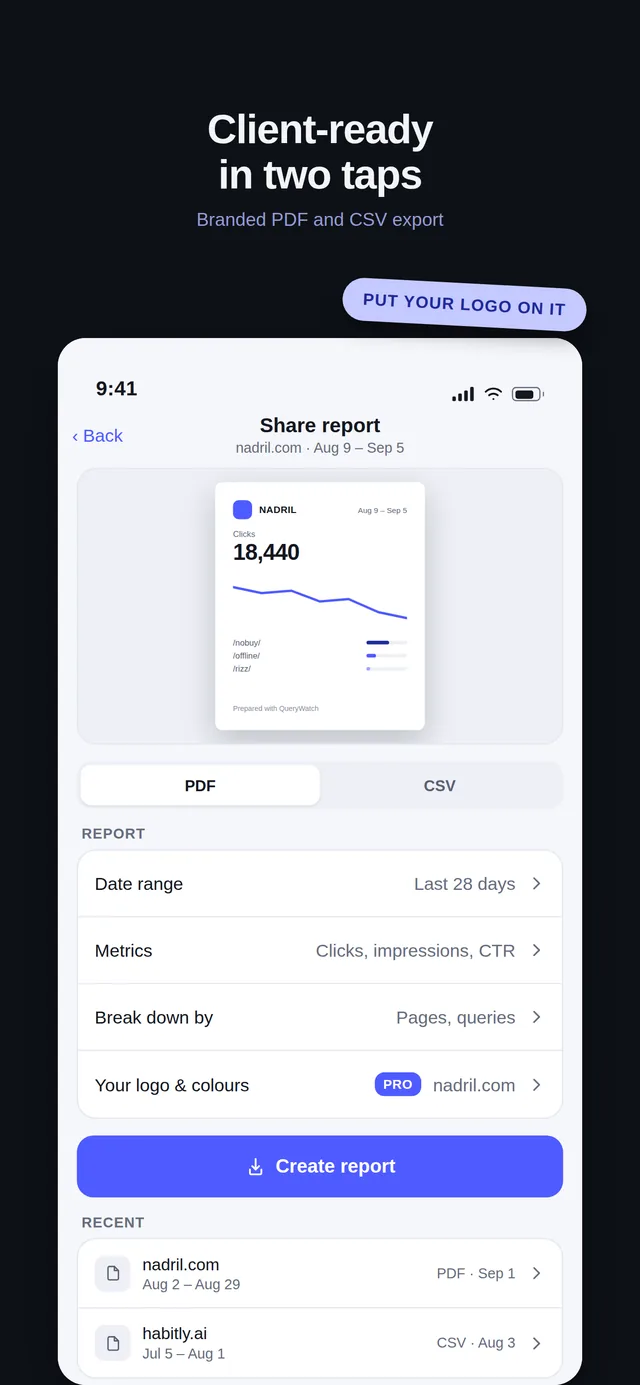
CSV of whatever table you are looking at, and — on Pro — a branded or fully white-label PDF with your own client name, logo and colour, generated on the phone and sent from the share sheet.
Thirty client properties, one screen, no per-site pricing.
If you manage sites for other people, the thing that breaks is not the data — it is the switching, and the moment a client emails before you have looked. Group properties by client with a colour and a tag, watch the whole portfolio from one list, and send a branded PDF from your phone between meetings.
Every competing app either charges by the number of properties or hides most of the numbers behind a paywall. We paywall depth — history, alerts, exports — and never the count of sites, because an agency with thirty properties is the user this app is for.
The screens, as they are in the store.
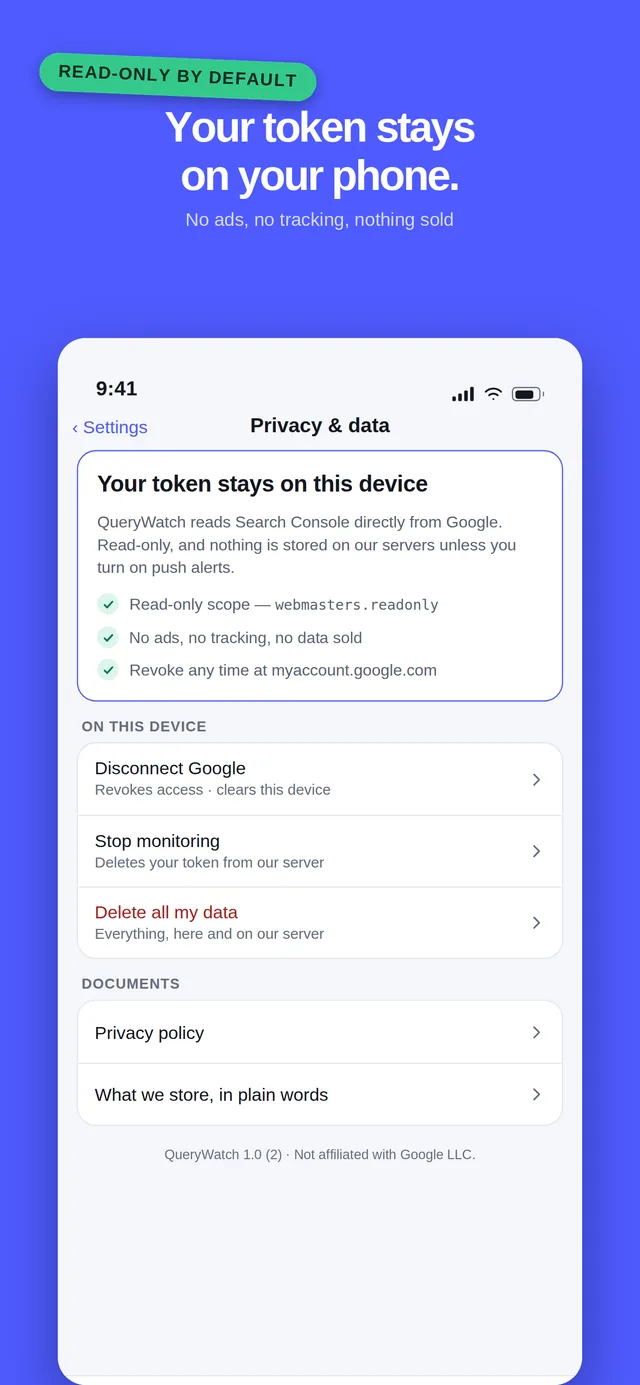
These are the app's own App Store screenshots. The numbers come from Demo Mode and the developer's own sites — open Demo Mode in the app and you will see the same screens.
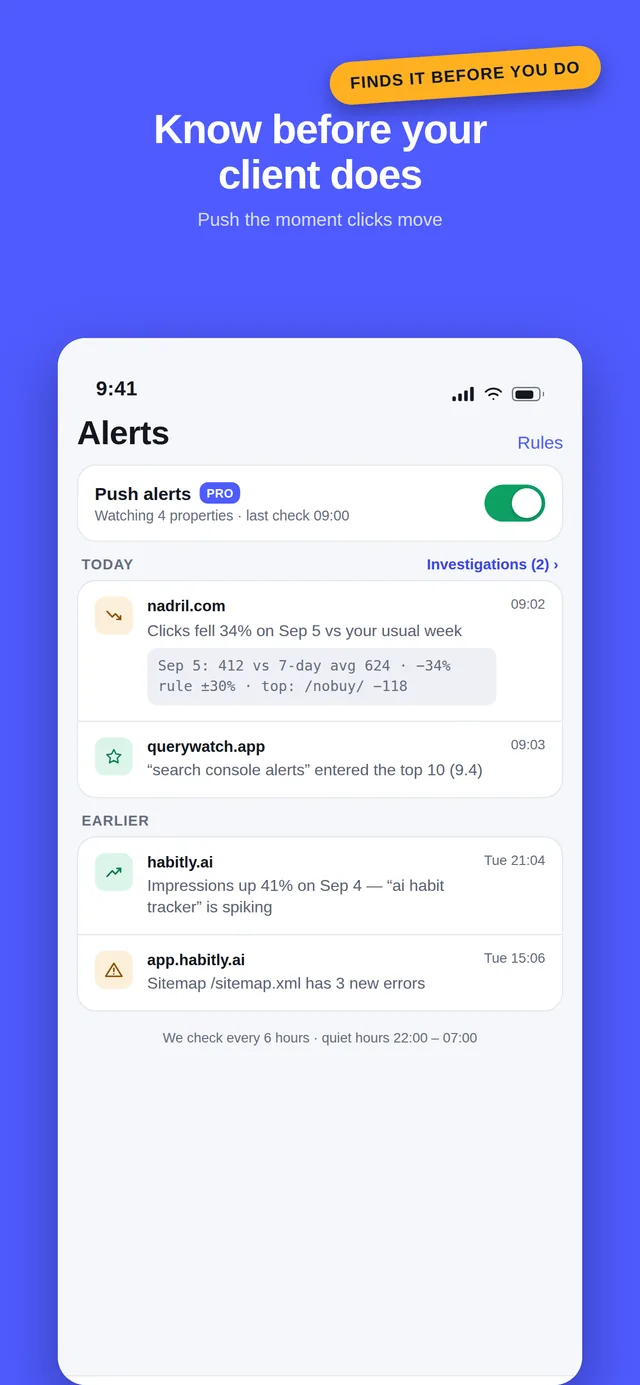
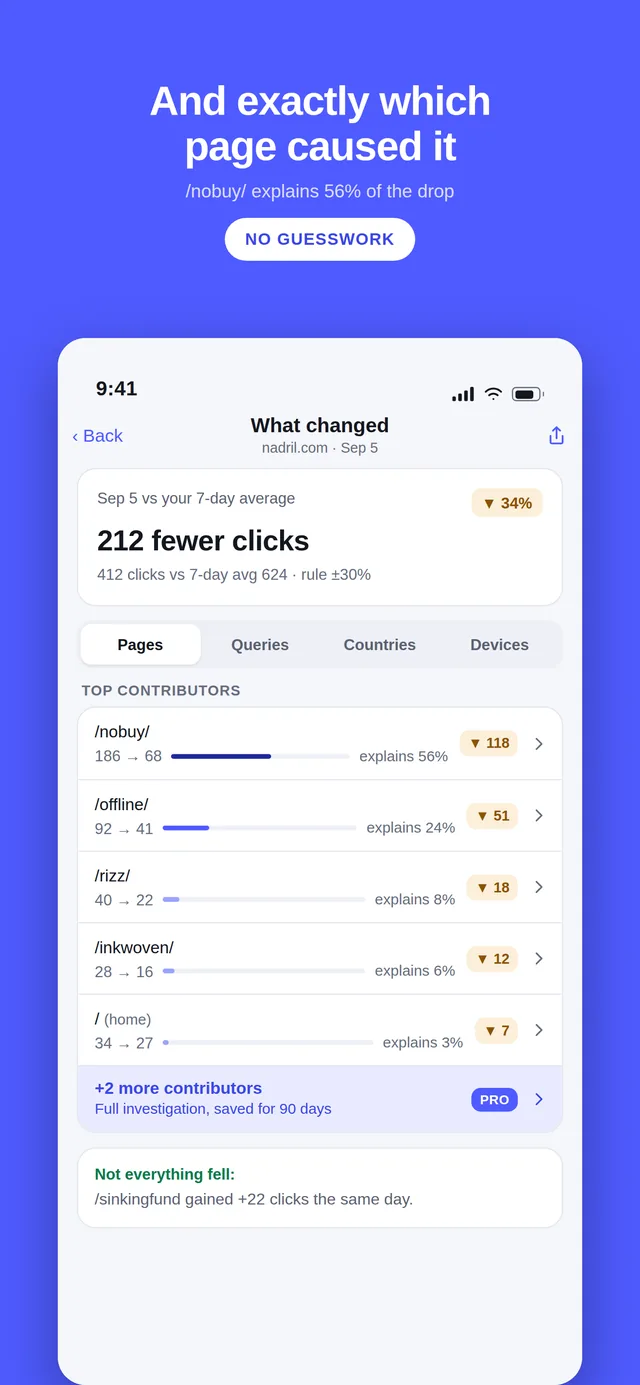
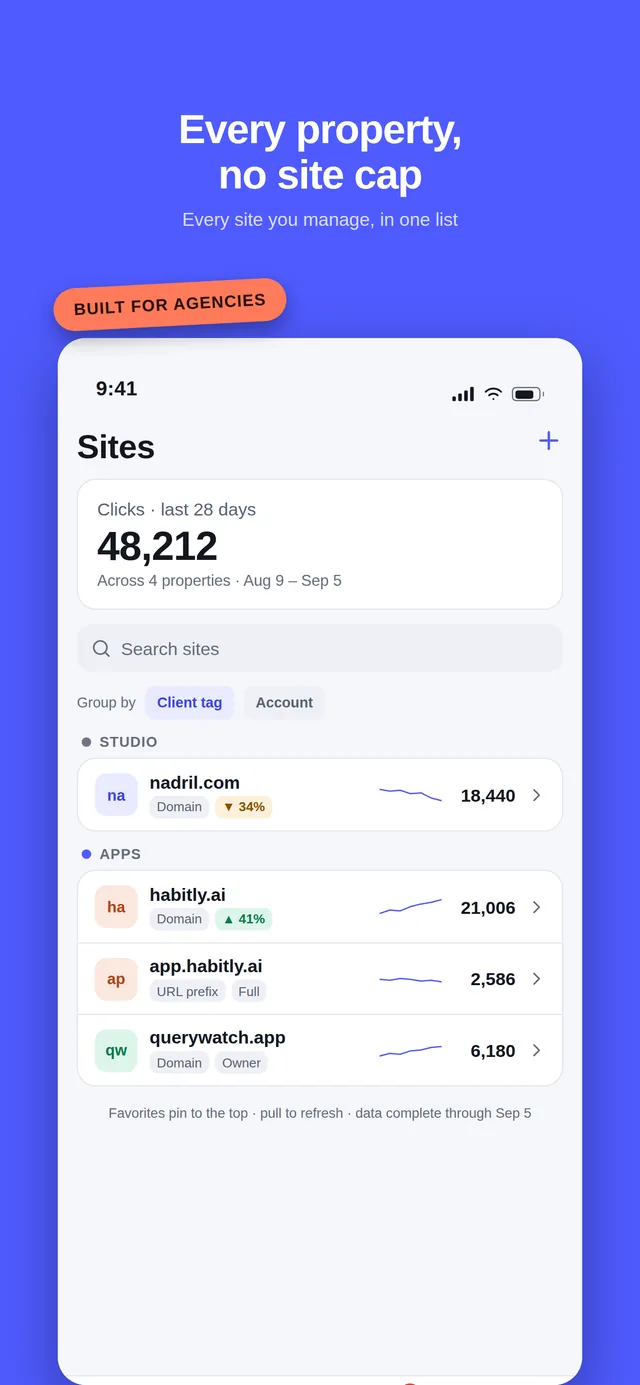
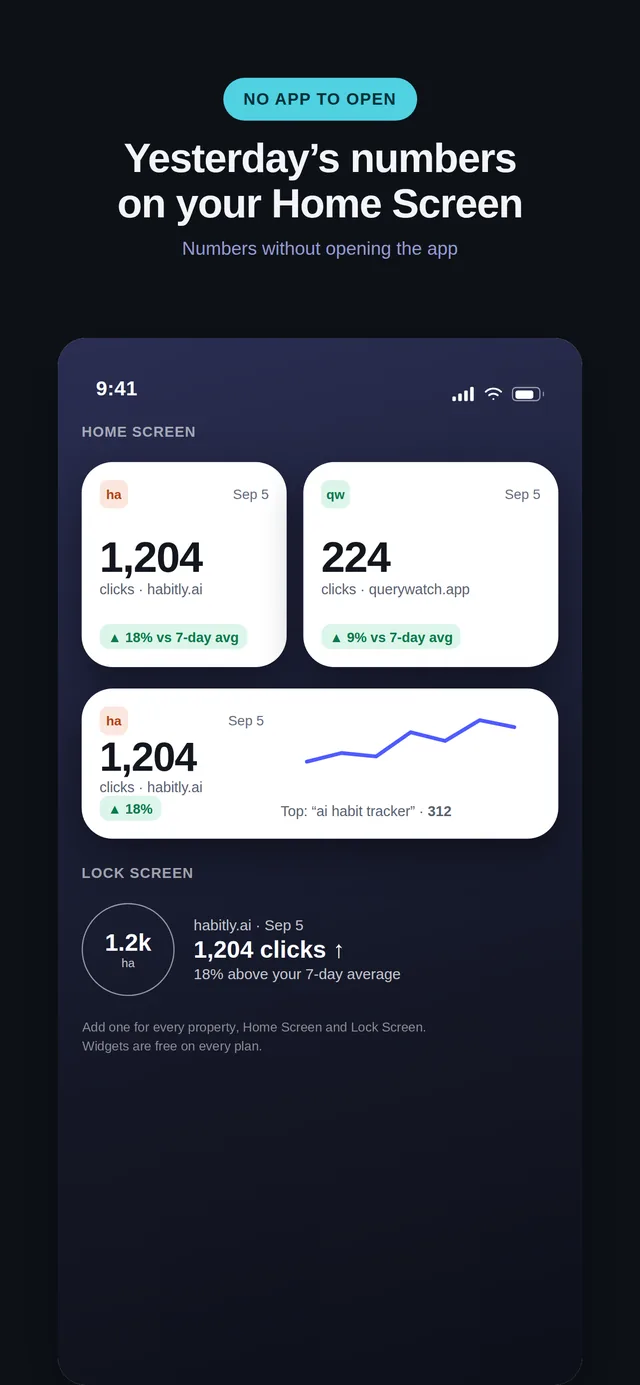
Free for every site you own. $4.99 a month for depth.
Pro is $4.99 per month or $14.99 per year. New subscribers can start the yearly plan with a first month for $0.99, and it renews at $14.99 a year after that. No weekly plan, no free trial. Payment is handled by Apple or Google Play; cancel from your phone in two taps.
| Feature | Free | Pro · $4.99/mo or $14.99/yr |
|---|---|---|
| Properties | All of them, no cap | All of them, no cap |
| Performance data | 7, 28 and 90-day presets with deltas | 16 months, custom ranges, period comparison |
| Queries, pages, countries, devices | Top 100 rows | Top 100 rows |
| Striking distance (positions 8–20) | Included | Included |
| Change investigation | Top 3 contributors | Top 20 contributors, kept as history |
| Push alerts on traffic change | Not included | Anomaly, new top-10 query, indexing change, sitemap error |
| Weekly digest | Not included | Every Monday, per property |
| Watchlist | 5 saves | Unlimited |
| Client tags and colours | Included | Included |
| Widgets | Home Screen and Lock Screen on iPhone, home screen on Android | Home Screen and Lock Screen on iPhone, home screen on Android |
| URL inspection | 5 per day | Unlimited |
| Sitemaps | View | View, submit and delete |
| Core Web Vitals / PageSpeed | Not included | Per page |
| Exports | CSV of the current view | Comparison CSV and branded or white-label PDF |
| Cannibalization detector | Not included | Included |
| Multiple Google accounts | Not included | Included |
| Offline cache and Demo Mode | Included | Included |
Prices are in US dollars and may differ in your local App Store or Google Play. Pro unlocks the same features on every property you have — it is never priced per site.
Your Google token stays on your phone.
QueryWatch signs you in through Google's own browser sheet and talks to the Search Console API directly from the device. On iPhone the refresh token lives in the Keychain; on Android, Google Play services hold the grant and the app never receives a refresh token at all. There is no server in the middle, and no account to create with us.
Push alerts are the single exception, because a notification has to be computed while your phone is asleep. Switching them on gives our relay its own access — encrypted at rest — and the app tells you so before it happens. Switching them off deletes the row immediately.
The app reads four things — your property list, search performance data, URL inspection results and sitemap listings — and nothing else in your Google account. We never sell data, never use it for advertising, and never use it to train AI models.
The things people ask first.
Where can I download QueryWatch?
QueryWatch is on the App Store for iPhone (iOS 26 or later) and on Google Play for Android (Android 12 or later), listed as “QueryWatch: Search Console App”. It is free to download, and every Search Console property you have is free to view.
Is there an official Google Search Console app?
No. Google has never released a Search Console mobile app for iPhone or Android. It tested an Android progressive web app with a small group of SEOs in March 2024 and never shipped it.
The mobile web interface at search.google.com works on a phone, but it is a desktop tool in a small window: no push notifications, no home-screen widgets, and slow switching between properties.
Do I have to pay to see all of my properties?
No. Every property you have access to in Search Console is listed on the free tier, with no cap on the number of sites, and the free tier shows real data rather than a teaser.
We charge for depth, not for the number of sites: 16 months of history, push alerts, unlimited watchlist saves, exports and a few other things sit in Pro.
What does Pro cost?
Pro is $4.99 per month or $14.99 per year. New subscribers can start the yearly plan with a first month for $0.99, and it renews at $14.99 a year after that. There is no weekly plan and no free trial.
Payment is handled by Apple or Google Play through your store account, and you can cancel any time from your phone’s subscription settings.
Does QueryWatch store my Google account token?
Not by default. On iPhone your refresh token is kept in the Keychain; on Android, Google Play services hold the grant and the app never receives a refresh token. Either way the app talks to Google directly from your device.
Push alerts are the one exception, because something has to check Search Console while your phone is asleep. Turning alerts on gives our relay a credential of its own — our own server in Germany, not a third-party backend service — encrypted at rest, and turning them off deletes it immediately. The app says this before you enable anything.
Is QueryWatch made by Google?
No. QueryWatch is an independent app and is not affiliated with, endorsed by, or sponsored by Google LLC. It uses Google’s public Search Console API with your permission, and Google Search Console is a trademark of Google LLC.
Does it track my keyword rankings?
No, and it never will. QueryWatch shows the average position Google itself reports in Search Console for queries your site actually appeared for.
Scraping search results to build a rank tracker breaks Google’s terms of service, so it is a permanent non-goal for this app. If you need daily SERP positions for keywords you do not yet rank for, you need a rank tracker, not this.
Why is my data two or three days behind?
That is Google’s delay, not ours. Search Console performance data is finalised a couple of days after the fact, for everyone, in the API and in Google’s own interface alike.
QueryWatch always labels the last complete day it is showing you rather than quietly presenting a partial day as a full one.
Can I try it without connecting my Google account?
Yes. Demo Mode runs the whole app on a bundled sample dataset for four example properties, including the Pro screens, with no sign-in and a permanent banner so you always know the numbers are not yours.
More on the support page.
Get QueryWatch
Free on iPhone and Android for every property you have, with no site limit. Open Demo Mode first if you want to look around before you connect a Google account.
iPhone needs iOS 26 or later; Android needs Android 12 or later. Free to download, with an optional Pro subscription. An independent app, not affiliated with Google.